
How AI Could Change Roofing Sales Over the Next Five Years
Roofing Sales, Artificial Intelligence, Lead Management
How Will AI Change Roofing Sales Over the Next Five Years?
From 2026 through 2031, artificial intelligence will increasingly handle many routine and repetitive parts of roofing sales. Configured systems can already support intake, basic data collection, summaries, scheduling within rules, and reminders in ways that are practical today. These capabilities will likely expand, yet they do not replace the core human work of roofing sales. Contractors will still need people to inspect roofs, define scope, price projects, address customer concerns, and close jobs at the kitchen table or over a live conversation. AI does not automatically replace every salesperson, guarantee more jobs, or reduce your advertising costs. It changes how your team spends time and how consistently you work your pipeline. The rest of this article separates what AI can do today from reasonable possibilities for 2026 through 2031 and gives a practical way to evaluate whether services like ActivatorSystem are worth considering for your roofing business.
1. How AI Will Actually Show Up in Roofing Sales
AI in roofing sales is appearing first in intake, follow up, and estimating workflows. Instead of replacing salespeople, it supports them by handling routine communication and organizing information so that human conversations can focus on inspection, scope, and closing. Practical uses today include:
Responding to web forms, chat messages, and missed calls with a timely, consistent acknowledgment and a few clarifying questions.
Collecting structured information such as address, roof type if known, service requested, and preferred appointment windows, then passing it into your CRM or sales system when that connection is configured.
Suggesting appointment slots based on defined rules and available information, then confirming or escalating when the system is not sure what to do.
Summarizing conversations, site visits, and estimate discussions into short notes that salespeople can review quickly before the next touch.
Prompting follow up on stalled estimates, unanswered proposals, or customers who requested to wait until a future date.
These uses change when a salesperson gets involved and how prepared they are when they step in. The question for a roofing business owner is whether you can use AI in a disciplined way that supports your sales process instead of disrupting it. That starts with understanding the economics and with clear expectations about what is available now and what is only a possibility over the next several years.
2. The Economics of Evaluating AI in Roofing Sales
When you evaluate AI for roofing sales, you are not buying magic. You are adding monthly operating cost in exchange for potential time savings, more consistent follow up, and possibly more completed jobs. The right way to judge services and systems, including offerings from ActivatorSystem AI services, is to look at incremental costs, staff time, appointment quality, and jobs produced, not only software features or marketing claims.
Core financial formulas
First, define your net monthly operating cost for AI during an evaluation period:
Net monthly operating cost = added software and usage fees + maintenance and review labor + setup costs allocated over a period − cash expenses eliminated.
Setup costs might include one time configuration or data cleanup spread over six to twelve months for evaluation, even if you pay those costs up front. Cash expenses eliminated could include a third party answering service you no longer need or duplicate tools you can cancel once your new workflow is in place. You should also estimate how much staff time is released by automation:
Potential staff capacity released = hours saved × loaded hourly labor cost.
Loaded hourly labor cost includes wages, payroll taxes, and benefits. It represents what an hour of that person costs your business. Released staff capacity is not automatically cash savings. If you do not actually reduce payroll or outside spend, you have freed time that can be used for more productive work such as more outbound follow up, better job handoff to production, or improved reviews management. That can still be valuable if it leads to additional contribution from more completed jobs, but you should not count the same saved time both as a cash saving and as the source of extra revenue. If there is no additional contribution and no actual expense reduction, the AI related work still carries its stated cost.
Break even in additional completed jobs
For many roofing companies, a simple way to think about AI payback is to calculate how many extra completed jobs per month you need to break even. That is:
Break even additional completed jobs = net monthly operating cost ÷ contribution per additional job.
Contribution per additional completed job is the revenue from a typical job minus all additional costs of selling and delivering that job. Those additional costs include applicable sales commissions, materials, labor, subcontractors, and other variable costs that rise when you complete one more job. This contribution is calculated before the AI system cost you are evaluating and it is not the company net profit.
Hypothetical example and economics table
Assume a roofing company adopts an AI supported sales workflow using client acquisition and marketing systems from ActivatorSystem. The numbers below are purely illustrative for discussion and are not ActivatorSystem pricing or an industry benchmark:
Software and usage fees: 600 dollars per month (illustrative).
Maintenance and review labor: 300 dollars per month (illustrative).
Setup cost: 1,200 dollars one time, allocated over six months for evaluation = 200 dollars per month on paper (illustrative). Actual payment timing could differ from this allocation.
Cash expenses eliminated: 0 dollars per month (illustrative).
Net monthly operating cost during the six month evaluation period = 600 + 300 + 200 − 0 = 1,100 dollars (illustrative). If the average contribution per additional completed job is 2,500 dollars (illustrative), then:
Break even additional completed jobs = 1,100 ÷ 2,500 = 0.44.
In practical terms, you would round that up and plan on needing at least one additional completed job in a month to cover that month’s evaluation cost, assuming the rest of your economics hold. Here is a compact view of the illustrative example:
Item (Illustrative) | Value |
|---|---|
Software and usage fees | 600 |
Maintenance and review labor | 300 |
Setup cost allocation for evaluation | 200 |
Cash expenses eliminated | 0 |
Net monthly operating cost for evaluation | 1,100 |
Contribution per additional completed job | 2,500 |
Break even additional completed jobs | 0.44 additional completed jobs |
These figures are illustrative only. Your numbers will differ, but the method remains the same. This is the lens ActivatorSystem encourages roofing owners to use when planning AI related investments in client acquisition, follow up, and marketing systems.
3. The ActivatorSystem Framework: Assist, Automate, Escalate, Measure
Assist
Assistance means AI supports your team without acting on its own. It drafts responses, summarizes conversations, organizes information, and prepares internal notes, but a person approves or edits before anything goes to the homeowner. For example, a homeowner emails asking whether you work with a specific shingle brand and if you can meet on Saturday. AI can draft a reply that confirms your service area based on your documented rules, outlines your typical inspection process, and proposes two time windows that either come from verified availability or are clearly labeled as placeholders for a person to confirm. Your salesperson reviews that draft, adjusts any details, and sends it. In this mode, AI is a writing and organizing assistant, not an autonomous agent.
Automate
Automation is where AI and related workflows take action within clear rules you define. In roofing sales, that can include acknowledging inquiries, collecting basic service area information, updating CRM fields when that connection is configured, offering appointment slots within defined calendars, and sending reminders. For instance, a configured workflow supported by ActivatorSystem’s marketing and CRM services could automatically text a new lead within minutes, ask for the property address, and compare it to your documented service zones. If the address fits your rules and your connected calendar shows availability, the system can suggest inspection windows and log the results. It can also send a reminder the day before the appointment and a same day confirmation to support lower no show rates.
Escalate
Escalation is critical. You should define clear triggers that require human involvement, such as uncertain answers, upset customers, scope questions, pricing, warranty, insurance issues, safety concerns, or anything involving authority and commitments. AI should not invent findings, warranty terms, or discounts. In a roofing context, if a homeowner asks whether hail damage will be fully covered by their insurer, the AI should acknowledge the question, explain that coverage depends on the policy and the insurer’s decisions, and recommend that the homeowner contact their insurance company or an appropriately qualified professional. The interaction should then be flagged for a salesperson or manager to review. ActivatorSystem can help design workflows that route these escalations to the right person with the context summarized, depending on the CRM and communication systems you use.
Measure
Measurement turns AI from a novelty into a disciplined system. You should track response times, conversation counts, qualification accuracy, attended appointments, estimate outcomes, completed jobs, and costs. You should also audit errors, complaints, and handoffs. Use leads that have had enough time to reach an outcome and compare similar lead sources and job types. Track attended appointments separately from bookings so you can see whether automation is supporting real conversations or only filling the calendar. Before and after results alone do not prove that AI caused additional sales, but they are part of a broader review that ActivatorSystem encourages through its CRM services.
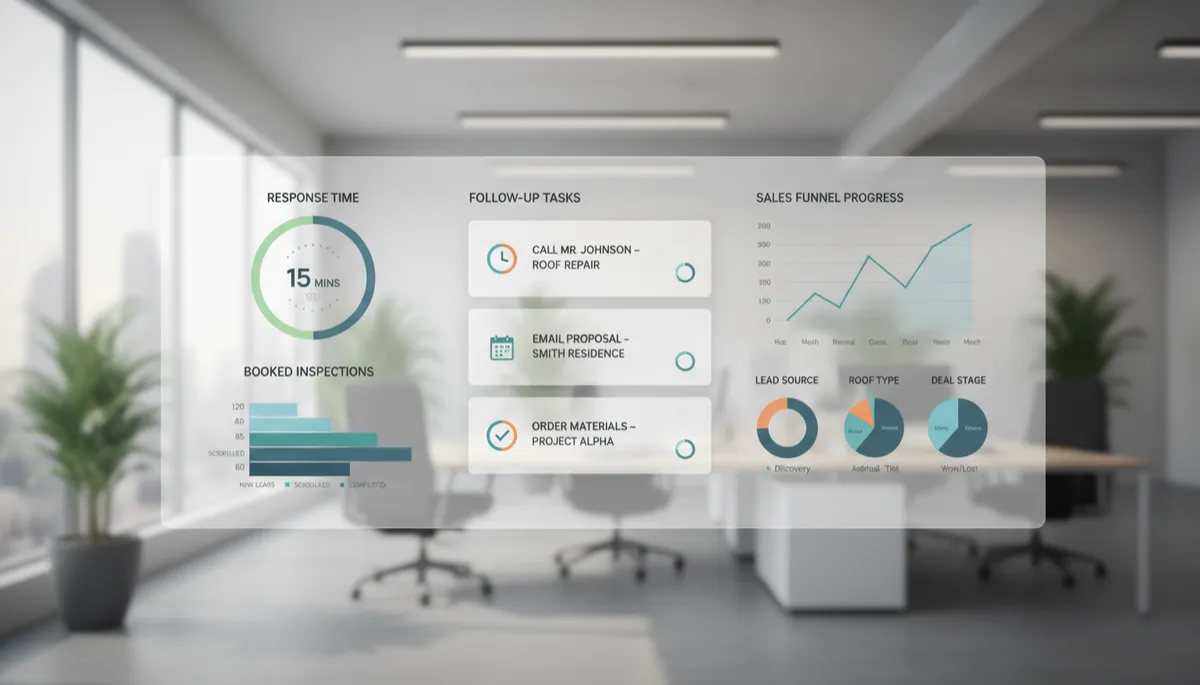
Consistent tracking of AI assisted leads and jobs helps roofing owners refine their sales process.
4. What Could Change from 2026 Through 2031
Near term: 2026 to 2027
In the near term, you can reasonably expect more assistance with administration, summaries, routine inquiries, and follow up. Many roofing focused CRMs and marketing platforms already include AI related features, and those may mature. Sales teams could see more accurate call summaries, better email drafting, and more consistent reminder workflows. AI tools may help organize photos, inspection notes, and documents so that salespeople spend less time searching through emails and more time speaking with homeowners. These capabilities exist today in different forms and are likely to become more reliable, easier to configure, and more tightly supported by services that ActivatorSystem provides to roofing contractors.
Middle period: 2028 to 2029
In the middle period, a reasonable possibility is improved connection between communication tools, CRM, calendars, and workflows. Instead of separate systems for web chat, phone calls, canvassing, and estimating, more roofing companies may choose integrated stacks where AI and automation can see a fuller picture. A call answered by a virtual assistant, a form completed on your website, and a canvassing contact in a subdivision could all land in the same pipeline with consistent fields. This would make it easier to route leads, avoid double booking, and maintain clean data. AI and workflow rules could help keep records synchronized and prompt your team to correct gaps rather than silently creating new data silos.
Later period: 2030 to 2031
Simple rules can already flag proposals that have no recorded next action so that a salesperson can schedule a follow up call or send a short check in message. Over time, AI may provide more proactive assistance by suggesting which stalled opportunities deserve attention first or by recommending specific follow up language. During the same time frame, AI supported search and advertising automation may influence how prospects find roofing contractors and how ads are placed, but specific outcomes are uncertain. The practical focus for roofing sales leaders should remain on how leads are handled after they arrive, not on chasing every potential change in ad platforms. Resources like ActivatorSystem’s article on roofing lead follow up can help keep that focus grounded.
5. A Practical Example of an AI Supported Roofing Sales Workflow
Consider a fictional roofing company using a configured AI assistant connected to its CRM within a broader client acquisition and marketing system. A homeowner submits an inquiry through the website at 9:30 p.m. after a storm. The AI assistant clearly identifies itself, immediately acknowledges the message with a clear, polite response that explains your company’s inspection process, and asks for three key details: property location, type of service needed, and preferred appointment windows. The message also explains how to reach a person and offers a phone number or a request for a call if the homeowner prefers to speak directly with a team member.
The system checks the address against your documented service area rules if your CRM and mapping tools are configured to support that step. If the property appears outside your coverage, the assistant explains that you may not serve that area and offers a simple path for the homeowner to confirm the address or request a manual review by your team. If the property appears inside your service area and your calendar integration shows availability, the AI can suggest inspection windows that match your rules, such as no same day bookings and no late evening appointments. When the AI cannot confidently apply the rules, it logs the details and asks a person to review before confirming anything to the homeowner.
If the homeowner selects a time that fits your rules and is confirmed by your system, the workflow books the appointment, sends a confirmation, and logs everything in your CRM with a structured record. If the homeowner asks for something outside the rules, such as a last minute weekend slot that appears blocked, the AI does not guess. It escalates the request to a salesperson or coordinator with a clear note that a manual decision is needed and confirms to the homeowner that a person will follow up. Early the next morning, your salesperson opens their dashboard and sees a concise summary of the lead: how it came in, what the homeowner said, the address, age of the roof if provided, and any photos uploaded. The salesperson confirms the appointment, makes any necessary adjustments, and prepares for the inspection.
The inspection, estimate, and sales conversation are still handled by a person. After the visit, AI can help format the estimate email, generate a follow up schedule, and summarize any text exchanges, but it is not closing the job. Reminders and follow up messages go out on a cadence you define, with clear options for the homeowner to respond, ask questions, request a call, or move directly to a person at any point. Throughout this workflow, acknowledgment is not treated as a meaningful conversation, and booking is not treated as a sold job. You still need to measure how many leads turn into qualified and attended appointments, how many appointments turn into estimates, and how many estimates turn into completed jobs to decide whether the additional contribution from extra jobs or smoother operations justifies the full cost of the AI supported system, including staff time to review and maintain it.
6. What Most Roofers Get Wrong About AI in Sales
Buying software before defining workflow. Many roofing companies sign up for tools without mapping how leads should move from inquiry to job. Without a clear workflow, AI adds noise. Define your ideal process first, then choose services and configurations that fit it. ActivatorSystem is built to support existing best practices, not to replace them with generic scripts.
Automating inaccurate information or a disorganized CRM. If your product options, pricing ranges, or service areas are inconsistent, AI will repeat those inconsistencies at scale. Before automating, clean up your data, standardize terms, and make sure your CRM fields reflect how you actually sell and build roofs.
Letting AI make unverifiable promises. Homeowners care about warranties, timelines, and insurance guidance. AI should not guarantee coverage, specific adjuster outcomes, or discounts that are not already defined in your policies. Keep AI responses conservative and route anything that requires judgment to a person with authority.
Optimizing for booked appointments without considering fit and attendance. It is easy to celebrate more appointments on the calendar, but if they are outside your ideal service area, below your minimum job size, or prone to no shows, you are not gaining. Configure AI and your workflows to qualify leads on basic fit and to confirm attendance, not only to add more time slots.
Treating every AI touch as revenue caused by AI. Many leads would have booked anyway if a person had answered the phone promptly. When you measure impact, separate leads that previously went to voicemail or received slow responses from those that already received strong human handling. This prevents you from over crediting AI and under valuing your existing team.
Removing human oversight or complicating homeowner access. Homeowners should always have a clear path to reach a real person by phone, text, or email. AI should make it easier to get answers, not harder. Be transparent about what information you collect, keep customer data secure, and respect communication preferences such as text versus email. Oversight protects your reputation and keeps your process aligned with your brand.
7. A Five Step Action Plan for Roofing Owners
Identify a repeated task. Look for a sales related activity your team performs many times per week, such as acknowledging new leads, confirming appointments, or sending standard estimate follow ups. Choose something narrow and clearly defined rather than trying to automate your entire sales process at once.
Record a baseline with leads. For at least a few weeks, track how that task performs today. Measure response times, appointment show rates, attended appointments, and close rates where relevant. Capture how many staff hours it consumes. This baseline will give you a fair comparison once AI is introduced.
Prepare accurate information and escalation instructions. Document your service areas, typical appointment windows, basic qualification questions, and clear rules for when AI should hand off to a person. This reduces the risk of inconsistent answers and ensures that homeowners get to a human quickly when needed.
Pilot on a limited scope and review. Turn on AI for a slice of your leads, such as web form inquiries or after hours calls. Review transcripts and outcomes weekly. Adjust prompts, rules, and escalation triggers based on what you see. In this phase, human oversight should be close and deliberate.
Compare results and expand when justified. After a reasonable period and once leads have had time to reach an outcome, compare your pilot results to your baseline. Look at changes in response time, appointment quality, attended appointments, close rates, and staff hours. Use the economics formulas described earlier to determine whether the benefits justify the full cost. Expand usage only where the data supports it. Avoid prescribing fixed budgets or expecting specific results in advance.
8. Six Practical FAQs for Roofing Companies Considering AI
How can roofing companies use AI in sales?
Roofing companies can use AI to respond quickly to new leads, collect property and contact information, qualify prospects on simple criteria, book inspection appointments within rules, summarize calls and site visits, and schedule structured follow up. Services like ActivatorSystem help connect these capabilities with existing advertising, search, and CRM setups when configurations support that flow.
Will AI replace roofing salespeople?
Over the next five years, AI is unlikely to remove the need for roofing salespeople, but it may change their workload. Routine tasks such as first responses, appointment reminders, and basic qualification can often be handled by systems. Salespeople may spend more time on inspections, explaining options, handling questions about price and scope, and closing jobs.
Can AI qualify leads and book appointments?
AI can help qualify leads and support appointment booking within limits you define. It can ask structured questions about address, roof type if known, type of service, and timing. It can compare answers to your documented service area, basic fit indicators, and calendar availability. Situations outside those rules should escalate to a person for judgment and final decisions.
How much should be spent on AI?
There is no single right budget. Appropriate spend depends on your lead volume, average job size, staffing, and bottlenecks. Use the economic approach described earlier. Estimate your net monthly operating cost for AI and calculate how many additional completed jobs you would need to break even before deciding on scope or timing.
How should roofing companies measure ROI from AI?
Start with clear before and after comparisons, then refine them with comparable groups where possible. Track response times, contact rates, attended appointments, close rates, and contribution per job. Measure how many previously missed or delayed leads now receive timely responses and how staff hours are redeployed, while watching error rates and complaints.
What should be automated first?
Most roofing companies see early wins by automating acknowledgment and basic data collection for new leads. This is where speed and consistency matter and the risk of error is relatively low. From there, you can add reminder workflows, simple qualification, and standardized follow up while keeping complex pricing and scope discussions with experienced people.
9. Find a Practical Starting Point
Want to see where AI could help your roofing sales process? Share your monthly lead volume, typical response time, and the task your team spends the most time repeating. ActivatorSystem can help you identify a practical starting point.