Roofing CRM Workflow: What Happens After a Lead Arrives?
Roofing Operations, CRM, Sales Process
The Roofing CRM Blueprint: What Should Actually Happen After a Lead Comes In?
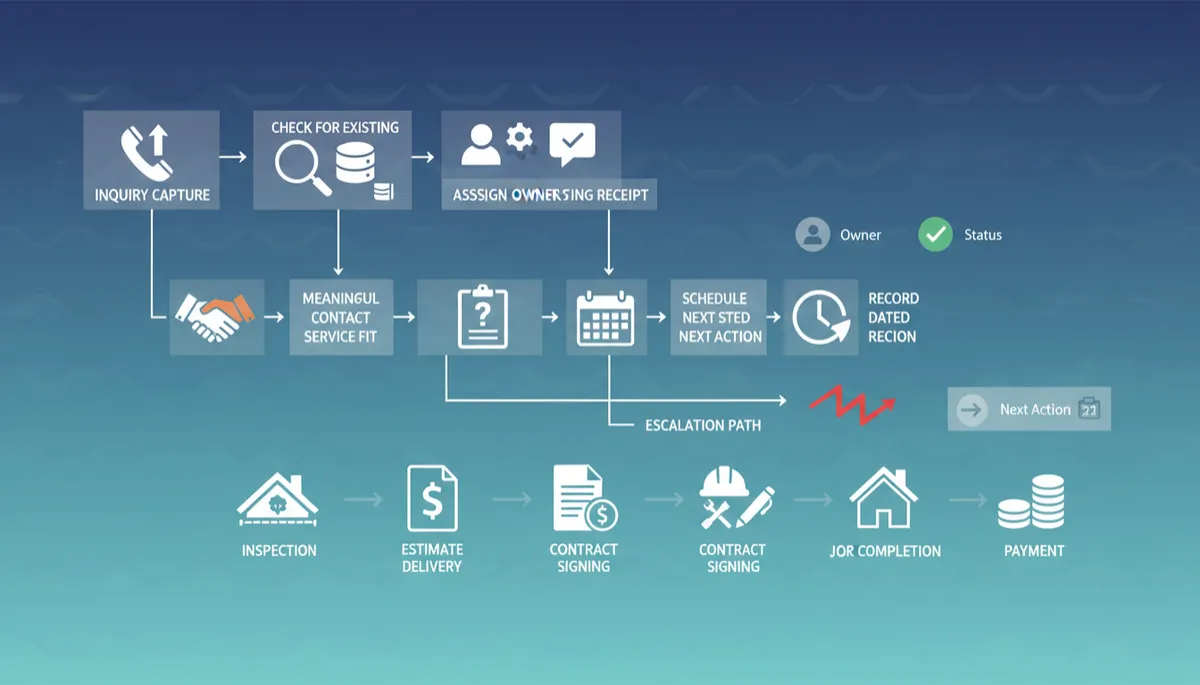
Revenue alone does not tell you whether you need more inquiries or better handling of the ones you already receive. Once a homeowner reaches out, the work is specific. Capture the inquiry, check for duplicates, assign one accountable owner, acknowledge receipt, attempt meaningful contact, qualify fit, and record a dated next action that reflects the next real step.
The Required Standard: Owner, Status, Dated Next Action
At your scale, “we called them a few times” is not a process. It is noise. Your CRM must enforce one simple operating standard for every open opportunity:
Accountable owner: a named person, not a department, is responsible for movement.
Accurate status: one current, truthful stage in the pipeline, no guesses.
Dated next action: the exact next step, with a date and time, is recorded.
Key Takeaway: If an opportunity in your CRM has no owner, no clear status, or no dated next action, it is effectively invisible revenue.
The Owner, Action, Outcome Framework (and a Quick Example)
To operationalize that standard, use a simple lens for every event in the pipeline: Owner, Action, Outcome.
Owner: Who is accountable for this step?
Action: What exactly must they do, in the CRM and with the customer?
Outcome: What condition must be true before we say this step is complete?
Example: New inquiry comes in from a homeowner who reports an active leak.
Owner: Inside sales coordinator, assigned in the CRM as the responsible person.
Action: Capture the inquiry in the CRM, check for duplicates, tag the record to indicate a reported leak, and attempt meaningful contact. During staffed hours, the team may set an internal target such as calling within 5 minutes. The intake call confirms urgency, service area, roof type, and whether the request is a fit for the contractor’s services. If there is fit and both parties agree to proceed, discuss available appointment windows with the homeowner.
Outcome: Ownership, urgency, and fit are documented. If the homeowner agrees to move forward, an inspection is booked for a specific date and time that the contractor has confirmed as available, and that appointment is recorded in the CRM with a dated next action. If an appointment is not yet agreed, the next action reflects the next concrete step, such as a scheduled follow up attempt.
Every stage in your roofing CRM must be that explicit. Ambiguity is where money leaks out of the pipeline.
The Post Inquiry Workflow: From New Lead to Payment
Below is a practical blueprint from first inquiry through payment. The language is generic; your labels can differ, but the logic should not. This is the backbone ActivatorSystem recommends and configures for roofing and exterior contractors.
Event / Stage | Responsible Role | Required Action | Exit Condition |
|---|---|---|---|
New Inquiry Captured | Inside Sales / CSR | Capture contact details, address, source, inquiry type (for example repair or replacement), and brief notes. Check the CRM for existing contact or open opportunity to avoid duplicates and link related records. | Lead record exists and is either linked to an existing contact or confirmed as new, with one assigned owner. |
Acknowledgment Sent | Automated plus CSR Oversight | Send a branded email or text confirming receipt and outlining when the homeowner can expect a reply, based on the contractor’s actual service hours and capacity. For time sensitive inquiries, a CSR verifies that the details are accurate and that the promised response fits current staffing. | Customer has written confirmation and a realistic timeline, and the message is logged in the CRM. |
First Meaningful Contact Attempt | Inside Sales / CSR | During staffed hours, attempt live contact within a defined internal target window that your team can consistently meet. Use a structured script to understand urgency, roof type, decision maker, and whether the request fits your services and service area. Log the outcome, and if contact is not made, record a dated next action for the next attempt rather than assuming the inquiry is handled. | Status updated to reflect the outcome, such as “Contacted,” “Left Voicemail,” or “No Contact: Next Attempt Scheduled,” with a dated next action. |
Qualification / Service Fit | Inside Sales / Estimator | Confirm service area, roof type, project type (such as repair or replacement), basic budget expectations, and timing. Track whether a storm event or insurance claim is involved as its own data point, separate from service type or source. If the request is outside scope, communicate that clearly and tag the record so future reporting reflects why the opportunity did not proceed. | Lead marked as “Qualified: Schedule Inspection” or “Not a Fit” with a clear reason. |
Inspection Scheduled | Scheduler / Inside Sales | Confirm that an inspection is appropriate, assign an estimator, discuss available time windows with the homeowner, and agree on a date and time that work for both parties. Send a calendar invite and confirmation message that match your actual service hours. Record appointment details in the CRM and route to the field calendar. | Status “Inspection Scheduled” with an assigned estimator, appointment timestamp, and a dated next action for what happens after the visit. |
Inspection Completed | Estimator / Project Consultant | Perform the site visit, capture photos, measurements, and notes in the CRM or integrated app. Decide whether the appropriate scope is repair or replacement and whether a storm or insurance claim is involved. For jobs that do involve a claim, add the relevant claim related fields and steps at this point, such as adjuster meetings, only where they apply. Set a clear deadline to prepare and deliver the estimate, and record that as the dated next action. | Status “Inspection Completed; Estimate in Progress” with a dated next action for estimate delivery. |
Estimate Delivered | Estimator / Sales | Present the estimate live when possible or send it digitally with clear scope, options, and any expiration date. Log how it was delivered and schedule the next conversation, such as a decision review call. Update the dated next action to reflect that specific follow up rather than leaving it open ended. | Status “Estimate Delivered” with a scheduled decision follow up on the calendar and a dated next action in the CRM. |
Contract Signed | Sales / Estimator; Admin Verifier | Capture the signed agreement, verify pricing, scope, terms, and any insurance details. Record deposits or scheduled installments according to your payment structure, but do not treat a signed contract or deposit as completed revenue. Ensure that the CRM record matches the contract and that accounting will treat the signed value and cash flow according to your policies. | Status “Sold: Awaiting Production Handoff” with contract documentation and any initial payments logged, and a dated next action for the production handoff. |
Production Handoff | Sales plus Production Manager / Production Coordinator | Transfer the job packet, including photos, scope, materials, and special instructions, to production. The receiving production owner reviews the packet, confirms that it is complete, and explicitly accepts the handoff in the CRM or scheduling system. Only after that acceptance does production update the schedule board and communicate target install windows to the homeowner. | Status “In Production Queue” with a named production owner who has accepted the handoff and a target date or window set. |
Job Scheduled and In Progress | Production Manager / Scheduler | Place the job on the production calendar with planned start dates, crew assignments, and material deliveries. Communicate schedule expectations and any preparation steps to the homeowner. Update the CRM if dates change so that communication and internal reporting reflect the current plan. | Status reflects “Scheduled” or similar, with current dates and a dated next action for job start or next communication. |
Job Completed | Production Manager / Crew Lead; QC if applicable | Confirm that work is complete according to scope, perform any quality checks your company uses, and capture completion photos. Update the CRM to reflect completion and trigger any warranty registration steps if they apply. Make sure that completion in the CRM lines up with how completion will be recorded in your accounting system. | Status “Completed: Ready for Final Invoicing or Remaining Payments” with a documented completion date and a dated next action for billing or collection. |
Payments and Job Closed Out | Admin / AR Specialist / Accounting | Issue invoices according to your payment schedule, track deposits, progress payments, insurance checks where relevant, and the final balance. Reconcile all payments in the accounting system and ensure that the CRM reflects payment status but treats accounting records as the financial source of truth. Preserve any cancellation or refund history so that future reporting and contact decisions have context. | Status “Closed: Paid” when accounting records show the job as fully paid, with payment dates and amounts recorded, and any cancellations or adjustments documented. |
Handling Roofing Handoffs Without Dropping the Ball
Roofing has unique operational realities. Your CRM workflow must anticipate them, not fight them.
When Estimators Are on a Roof
Estimators cannot answer every call while climbing ladders. That is not a failure; it is a design constraint. The solution:
Primary intake goes to inside sales/CSR, not directly to estimators’ cell phones.
Estimators receive assigned opportunities with clear appointment times, not raw inbound chaos.
If your estimators are still acting as their own call center, you are capping revenue and burning out your most valuable people.
Evenings, Weekends, and True Emergencies
At $2 million to $10 million, you cannot afford a long gap where inquiries are never captured. You also need to avoid promising coverage that your team cannot meet. The middle ground is to align your intake and follow up rules with your actual service availability.
Use call handling, voicemail, web forms, and SMS that feed into your CRM so every inquiry is recorded with time stamps and recordings or transcripts where available. Make it clear to homeowners when live responses are available and when messages will be returned.
If you tag records to indicate a reported active leak or tarp request, route those tags according to the response commitments your business has chosen and documented. Do not imply emergency dispatch or round the clock response if you do not offer it.
For inquiries that come in outside your staffed hours, send acknowledgment that reflects when the next live contact attempt will occur, such as the next business day during a defined window.
Different Inquiry Types: Leaks, Planned Replacements, and Storm Inspections
Your CRM should not treat all roofing leads the same. At minimum, differentiate:
Active leaks or repair requests: Often more time sensitive. Use tags and statuses that support priority routing, realistic response targets, and shorter time between inquiry and inspection where your team can support it. Ownership is typically with inside sales until an estimator is assigned.
Planned replacements: Standard response cadence, with more emphasis on option presentation, financing, and homeowner decision timelines. Ownership is usually with a project consultant focused on consultative selling.
Storm related work: Track whether a storm event or insurance claim is involved as its own field, separate from service type and lead source. Add claim related stages, such as adjuster meetings or supplement opportunities, only for jobs where those steps are relevant. Do not force every storm lead through claim specific stages when the homeowner is paying out of pocket or when no claim exists.
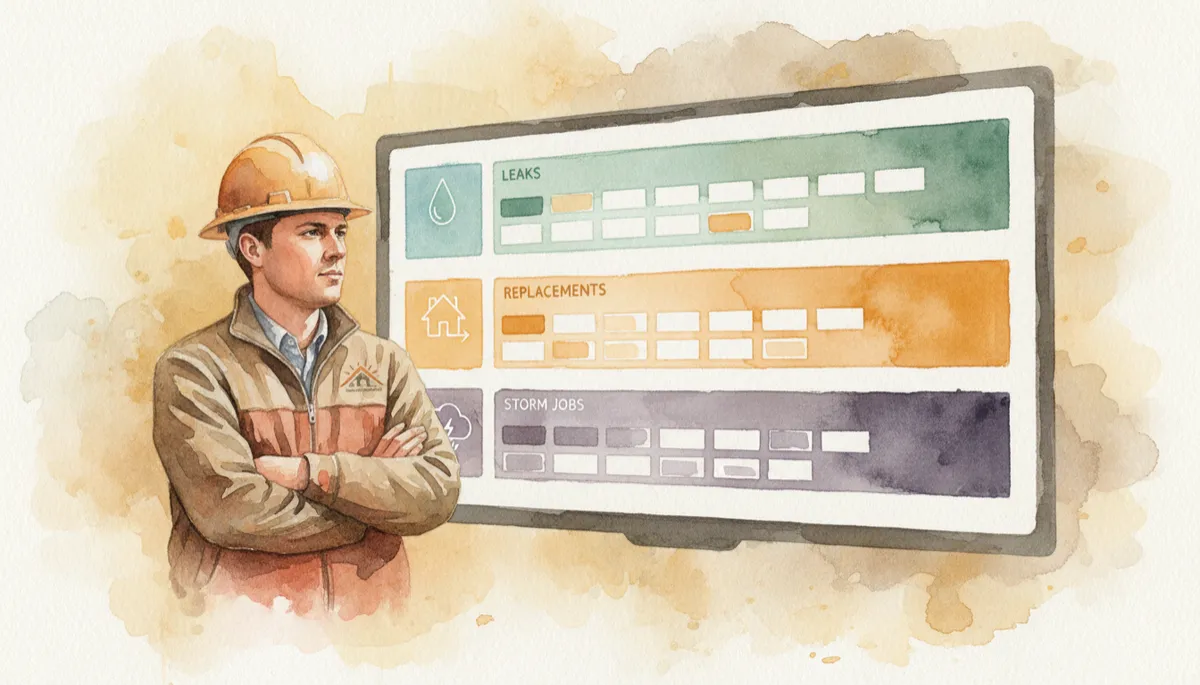
Segmented pipelines reveal where leaks, replacements, and storm jobs stall or convert.
Where Automation Belongs and Where It Does Not
Automation should protect your standards, not replace human judgment. Used correctly, it prevents dropped balls and gives your team more time for real conversations.
Appropriate Automation in a Roofing CRM
Acknowledgment messages: Immediate email or SMS confirming inquiry, tailored by type where useful. These messages should reflect your actual service hours and response commitments.
Assignment notifications: When a lead is assigned, the owner receives an instant notification with the expected timing for the first live contact attempt. No silent assignments.
Reminders and overdue alerts: If the dated next action is missed, the CRM escalates first to the owner, then to a manager after a defined window, so exceptions are visible rather than buried.
Follow up sequences with clear stop rules: Structured sequences can support contact attempts, estimate follow up, and re engagement, but they must stop or pause when reality changes. Replies, bookings, reschedules, declines, opt outs, and documented manual contact should halt or adjust automation so customers are not receiving conflicting messages. When an appointment is booked, contact recovery sequences for that stage should end rather than continuing to push for a booking that already exists. For signed jobs, preserve cancellation history and ensure that any future contact requests are handled with dated tasks, not open ended automation. For inquiries that are never reached, define a reasonable attempt limit and a final disposition status instead of leaving them in indefinite automatic nurture.
Status and qualification updates based on clear rules: Documented rules and verified events can support automated updates, such as moving a record from “Inspection Scheduled” to “Inspection Completed” when a completed form and photos are submitted, or from “Estimate Delivered” to a follow up status when the homeowner books a review call online. Human review should handle uncertainty, exceptions, and any commitments that affect scheduling, pricing, or contractual terms.
Avoid Conflicting or Embarrassing Automation
Do not let a “we have not heard from you” sequence continue after the customer has already replied, booked an appointment, or signed, even if someone has not yet updated a field manually. Automation rules should listen for replies and bookings and stop or switch tracks when they occur.
Do not keep running “schedule your inspection” reminders when the inspection is completed and you are waiting on an adjuster, materials, or a decision. Status logic and stop rules should prevent messages that no longer match the stage of the job.
Automation should follow what is true in the record. Your team is responsible for capturing reality and handling exceptions; your CRM is responsible for reacting consistently to the rules you have defined.
The Economics: How Workflow Discipline Relates to Contribution
Consider a simple hypothetical month for a roofing company using paid marketing.
Total marketing spending: $6,000
Unique inquiries: 60
Marketing cost per inquiry: $100
Scenario A
In this scenario, the company completes 20 estimates and signs 4 jobs. The completed estimate to signed job rate is 20 percent. Marketing cost per signed job is $1,500.
Scenario B
In this scenario, the company completes 30 estimates and signs 6 jobs. The completed estimate to signed job rate is still 20 percent. Marketing cost per signed job is $1,000.
Assume that all signed jobs in each scenario are completed within the evaluation period. Contribution per completed job is $4,000 after incremental selling and delivery costs, before marketing, workflow costs, and fixed overhead. Contribution before marketing is $16,000 in Scenario A and $24,000 in Scenario B. After marketing, contribution is $10,000 versus $18,000, before workflow costs and fixed overhead. The difference is $8,000 before any additional setup, software, administration, or communication costs. This comparison illustrates a relationship between how many inquiries progress to completed jobs and the contribution available to cover marketing and overhead. It is not observed client performance or proof that CRM software by itself causes sales. A contact attempt is not the same as successful contact, and the value of signed contracts is not the same as completed revenue recorded in accounting.
ActivatorSystem focuses on helping roofing and exterior contractors connect their advertising to disciplined workflows so they can see and manage how inquiries move toward completed, paid work.
Common CRM and Pipeline Mistakes Roofing Owners Must Eliminate
Treating the contact database as the pipeline. A list of names and emails is not a pipeline. If you cannot see, at a glance, how many opportunities are at “Inspection Scheduled,” “Estimate Delivered,” and “Sold: Awaiting Production,” you do not have a pipeline. You have a Rolodex.
Marking opportunities “lost” prematurely. Some owners close out anything that did not sign within a short time frame. In reality, many homeowners need more time, especially on replacements and insurance related work. Moving to “lost” too fast can remove appropriate long tail follow up and distort your understanding of close rates and cycle times.
No escalation paths for exceptions. A lead sits untouched because the assigned estimator went on vacation. A job sits at “Sold” because no one advanced it to production. Without automated alerts, clear managerial oversight, and defined backup coverage, exceptions become your norm.
Five Concrete Implementation Steps for Your Roofing CRM
1. Define Stages from Inquiry to Payment
Start with the blueprint stages above and adjust labels to your language, but keep the logical flow. Make sure you can see at least:
New Inquiry, Contact Attempted, Contacted, Qualified, Inspection Scheduled, Inspection Completed, Estimate Delivered, Sold, In Production, Completed, Paid, Lost with reasons.
2. Assign Clear Owners by Stage
Decide, in writing, who owns each stage. For example, inside sales may own everything from New Inquiry to Inspection Scheduled, estimators may own Inspection Completed to Sold, production may own Sold to Completed, and admin or accounting may own Completed to Paid. Configure your CRM to reflect this ownership with named individuals, not only job titles or departments.
3. Build Minimum Required Fields
Before a user can move an opportunity forward, require the fields that protect your future decisions. At a minimum, enforce:
Contact information, address, lead source, inquiry type, whether a storm or claim is involved, assigned owner, current status, and a dated next action.
4. Test with Fictional Records Before Going Live
Run several fictional leads through the full process, including leak requests, planned replacements, and storm related work. Have your team click every button, trigger every automation, and verify that:
Duplicates are handled correctly, unanswered calls and replies are captured, bookings and reschedules update the record, declines and opt outs stop automation, signed contracts and cancellations are documented, and overdue estimates surface for review.
5. Audit Live Records Over Time
Once the workflow is in place, review a sample of live opportunities on a regular cadence, such as weekly. Allow enough time for leads to move through the sales process before drawing conclusions about effectiveness. For each record you review, ask:
Does this opportunity have a clear owner who is still appropriate for the current stage?
Is the status accurate based on what has actually happened, including cancellations or scope changes?
Is there a dated next action that has not expired, and does it reflect a real next step rather than a placeholder?
These reviews help you see whether the workflow design and coaching are giving your team what they need to move work forward, and they highlight where rules or responsibilities need adjustment.
Six Concise FAQs on Roofing Lead Workflow and CRM Discipline
1. How should leads actually enter our CRM?
Every channel, including website, phone, ads, and referrals, should feed into one intake process. Use forms, call integrations, and manual entry rules so no lead lives only in voicemail, email, or a salesperson’s phone.
2. What pipeline stages are essential for a roofing company?
At minimum, define stages such as New Inquiry, Contact Attempted, Contacted, Qualified, Inspection Scheduled, Inspection Completed, Estimate Delivered, Sold, In Production, Completed, Paid, and Lost with clear loss reasons.
3. Who should own an opportunity at each step?
Inside sales typically own early stages, estimators or project consultants own from inspection to sale, production owns execution, and admin or accounting own billing and collections. The owner in the CRM should always be a named individual, not only a department label.
4. How much of this process should be automated?
Automate acknowledgments, reminders, alerts, and structured follow ups where rules are clear. Use automation to update status or support qualification when documented rules and verified events apply, and keep human review in place for uncertainty, exceptions, and commitments that affect scope, pricing, or scheduling.
5. What should we do with inquiries we never reach?
Define a contact policy that fits your brand and market, including how many attempts you will make, over what period, and through which channels. When that policy is complete and there has still been no contact, move the record to a status that reflects the outcome, such as “No Contact: Closed Out,” rather than leaving it in an active stage with ongoing automation.
6. How do we know if our workflow is actually working?
Track movement between key stages, such as inquiry to inspection, inspection to estimate, estimate to sale, sale to completion, and completion to payment. Review these metrics over periods long enough for jobs to run their course, and combine them with record level audits so you can see where inquiries are stalling and whether your rules and responsibilities need to be adjusted.
A Practical Next Step
You do not need to rebuild your entire CRM this week. You do need to know where you stand today. Start by writing down your current pipeline stages exactly as they exist in your system and on your whiteboards. Then compare them, stage by stage, to the blueprint in this article.
If you want a structured outside view, you can share your current stages and handoffs with the ActivatorSystem team. ActivatorSystem works with roofing and exterior contractors to connect marketing, follow up, and CRM into one coherent client acquisition system. The goal is to help you identify a realistic starting point and a phased roadmap rather than another overwhelming project.
You can request a strategy conversation or ask specific questions about your pipeline at contact ActivatorSystem, review the CRM services for roofing and exterior contractors, or go deeper on lead follow up and response standards with this roofing lead follow up guide and the five minute lead response rule. Sharing your current pipeline stages is often the simplest way to see where to begin tightening the system that runs behind every lead you pay for.